The PDF Editor
You Won't Hate.
Edit, sign, watermark, and redact PDFs without leaving your
browser.
No uploads. No software. 100% private.
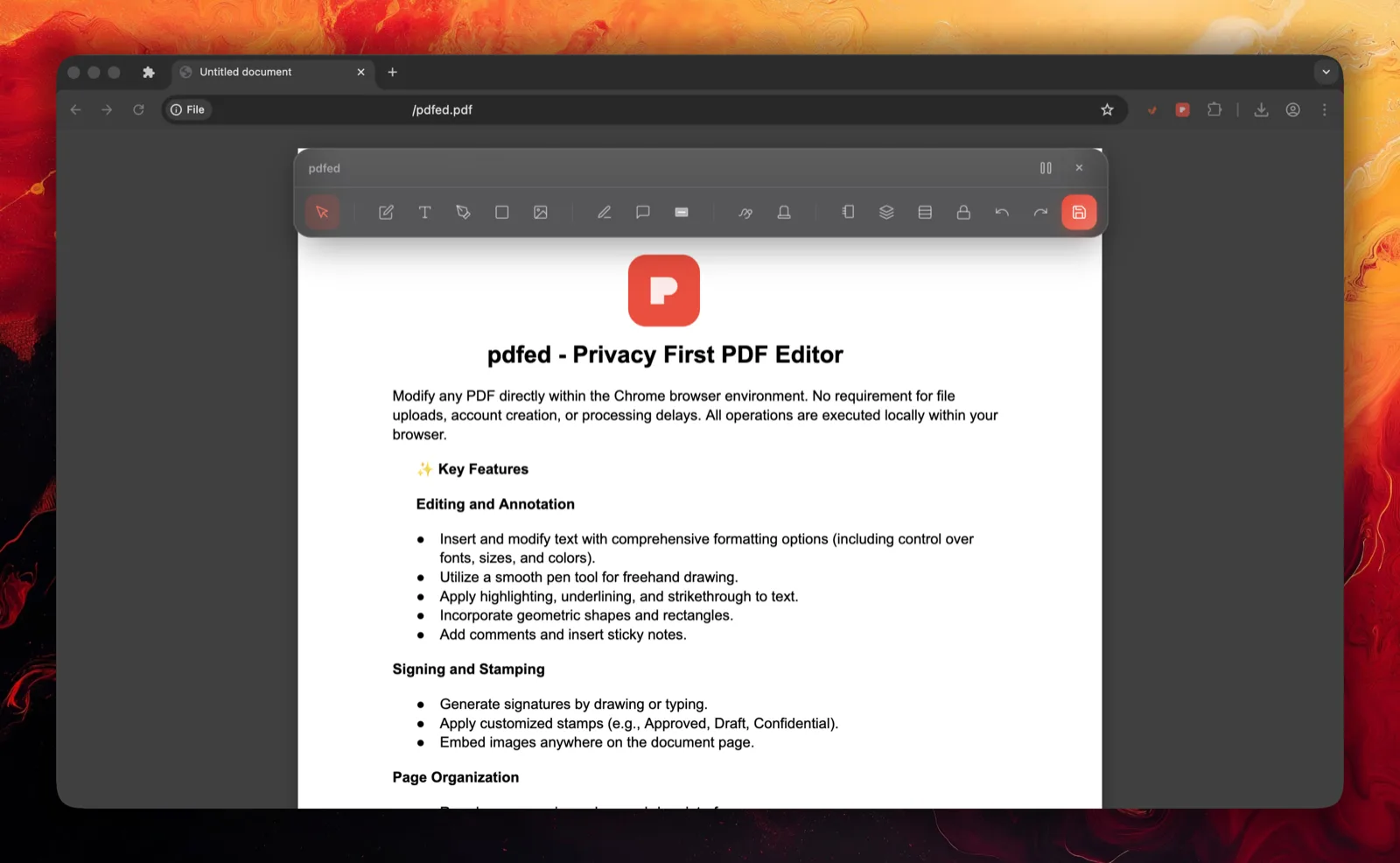
Everything you need to master PDFs
Powerful features wrapped in a stunning, intuitive interface. All running locally in your browser.
Edit Text
Modify existing text and fix typos directly in the PDF.
Secure Redaction
Permanently remove sensitive information. Pattern fills and smart detection keep your data safe.
Smart Page Organizer
Drag, drop, rotate, and reorder pages with visual grid view. Merge and split with ease.
Sign & Stamp
Create and save signatures. Apply custom stamps or choose from our professional library.
Bank-Grade Security
Add passwords, restrict printing, and encrypt documents with AES-256 standard encryption.
Watermarks & Headers
Protect your IP with custom watermarks. Add professional headers, footers, and page numbers.
As easy as 1, 2, 3
No learning curve. Just instant productivity.
Add to Browser
Install the lightweight extension from the web store in seconds.
Open Any PDF
Click the extension icon on any PDF you're viewing in your browser.
Start Editing
Use the powerful toolbar to make changes and save instantly.
Loved by productive people
Join thousands of happy users who trust pdfed for their PDF workflows.
"Finally, a PDF editor that doesn't feel like software from 1995. It's beautiful, fast, and does exactly what I need right in Chrome."
"The redaction tool is a lifesaver. I used to have to print and scan documents to hide info. Now it takes 2 seconds."
"Super smooth signature feature. I sign contracts daily and this has saved me so much time. Highly recommend!"
Frequently Asked Questions
Yes! The core features including editing text, signing, and basic annotations are completely free to use forever. Advanced features may be added as premium options in the future.
Absolutely. We operate with a privacy-first architecture. Your files are processed locally within your browser and are never uploaded to our servers. Your documents never leave your device.
pdfed works on any PDF file you open in Chrome or Firefox, whether it's from a website URL or a local file from your computer.
pdfed currently works on Chrome, Edge, Brave, and other Chromium-based browsers. Firefox support is coming soon!
Ready to transform your workflow?
Join thousands of users who have switched to pdfed for their PDF needs.
Add to Chrome — It's FreeNo credit card required • Instant access • 100% Private